BusinessCards MX - business card maker
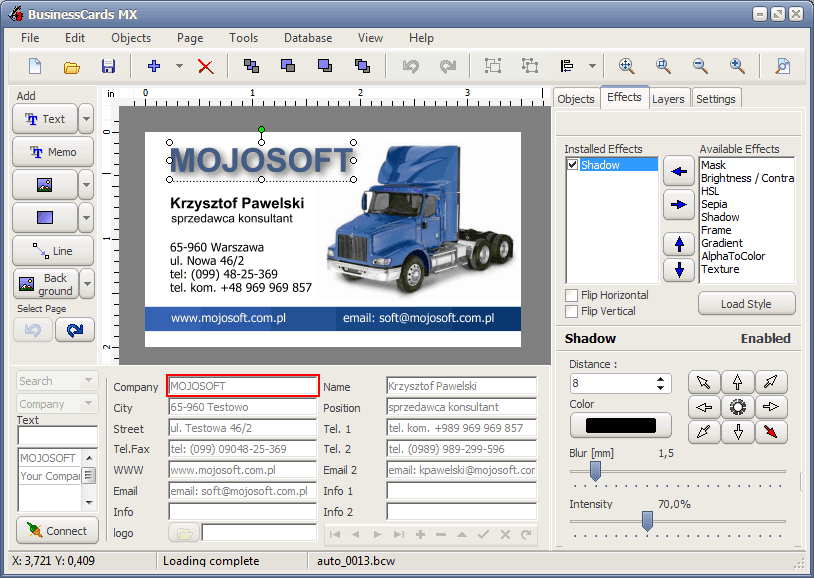
This program will help to design and print a professional business card.
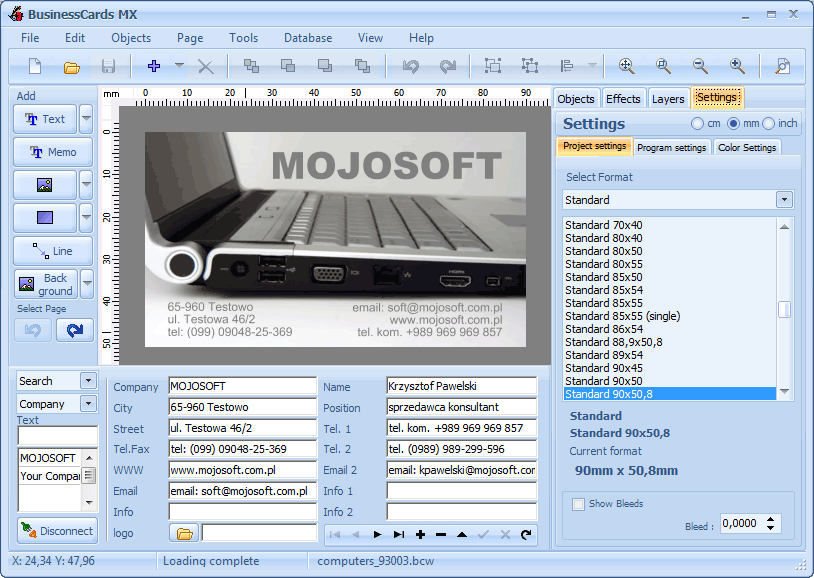
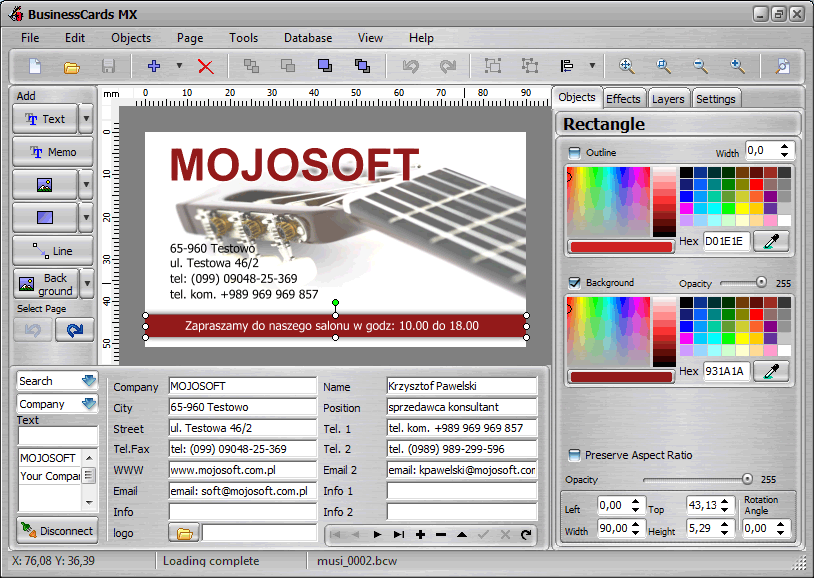
The interface of the program has been designed in such a way that even a beginning
user will not have problems with using the program. The process of designing is based on inserting ready
for use elements accessible in the program such as figures, images and the background,
and freely shifting them on the prepared project.
Another advantage of the program is the possibility of saving data about a company or people
so that it can be used later while designing a business cards.
BusinessCards MX uses templates which you can prepare on your own, or you can use ready models ,
templates of business cards accessible in it.
BusinessCards MX is very easy to use business cards maker software.
There are 750 examples of business card templates in the program.
The attributes of the program:
* operating jpg, bmp, wmf , png ,tiff and more graphic formats
* a dozen or so effects which can be used while working on all objects (text , image , backgrounds) for example: shadows, textures, sepia, gradients and others
* export to high resolution (300 DPI , 600 DPI) pdf,jpg,tiff,bmp graphics file
* the size of designed business cards: min 70x40 max 105x65
* the appearance of the interface can be changed
* convert and export to CMYK ( with ICC profiles )
* support right to left languages (like arabic,hebrew)
* support unicode
* print on both sides of the paper (duplex printing)
* multilanguage support:
English, German, Portuguese, Spanish, Italian, French, Norwegian, Swedish, Polish, Czech, Hungarian, Russian ,Bulgarian ,Farsi(Persian) ,Serbian ,Chinese(simplified) ,Romanian, Croatian , Arabic,Bosnian
* 400 supported business card paper for ink jet and laser printers, from Avery, APLI, Hisago, Sigel, A-One ,Printec and other manufacturers.
Screenshots

Download latest version 5.0
04.09.2015
Download size : 86.9 MB
If the link above does not work, please download from the alternative download site
System Requirements
* CPU: Pentium processor minimum
* Memory: 512M or more
* Free hard drive space: 250MB
Certificate SOFTPEDIA
Soft32.com 100% CLEAN